
My Town : Beach Picnic
My Town Games LtdEducational
4.0381.00 Reviews
- Version
- 7.03.09
- Installs
- 500.00K
- Age Rating
- Everyone
Screenshots
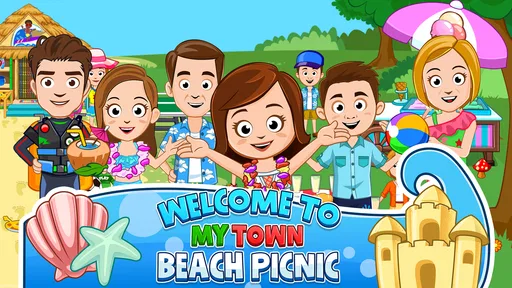



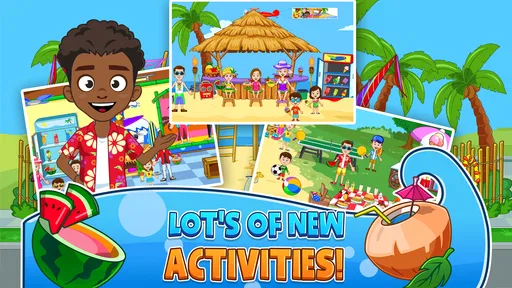
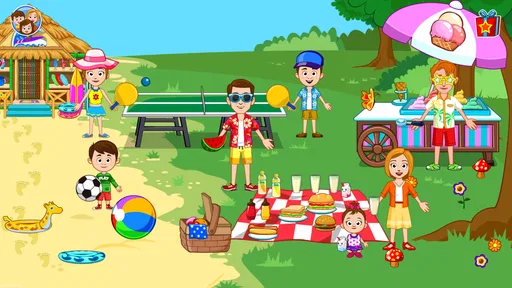
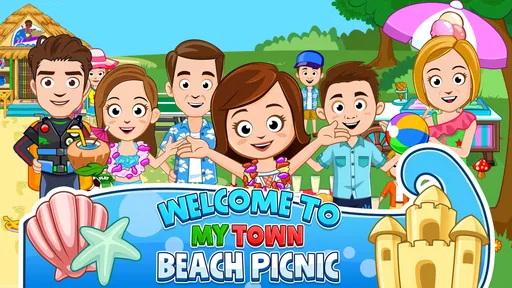
Our Review of My Town : Beach Picnic
 Analysis by Appyee
I approached My Town : Beach Picnic expecting a small, open-ended play space rather than a conventional game with levels to clear. That turned out to be the right way to use it. This is an educational game from My Town Games Ltd built around imagination, exploration, and the simple pleasure of arranging a beach outing your own way. I choose characters, move them around, handle objects, and create little scenes instead of chasing a score.
That distinction matters. If you want missions, increasingly difficult puzzles, or a clear winning screen, this will feel unusually loose. If you want a child-friendly digital playset that can turn a few spare minutes into a story, it makes much more sense. I found the best results came when I stopped looking for a prescribed route and treated each session as a tiny piece of pretend play.
How the beach picnic loop actually feels
I found the beach-picnic loop easiest to enjoy once I stopped waiting for the game to announce a task and began treating each visit as a small story I could shape. That open approach is inviting, but it can leave a new player unsure where to begin, so a simple idea—who is arriving and what the group needs—helps turn exploration into purposeful play.
The first action is choosing what kind of outing to create
The opening decision is not really “How do I win?” It is “What is happening at the beach today?” I can begin with a relaxed picnic, move characters into a different part of the scene, or start handling objects simply to see how the setting responds. That low-pressure start is one of the game’s strongest qualities for younger players because there is no intimidating tutorial burden or complicated rulebook to memorize.
For a child, the first few minutes are mostly about discovering what can be touched and moved. A character can become the center of a scene, while nearby objects help turn an empty-looking space into a story. I noticed that children often learn the controls by experimenting rather than by reading instructions. That makes the game approachable, although it also means an adult may need to demonstrate the basic interaction once if the child is not used to touch-based play.
The most useful way to introduce it is to offer a small prompt: “Can you prepare a picnic for everyone?” or “What happens if the family arrives at the beach?” A prompt gives the child a starting point without taking away creative control. Left completely open, some players will explore happily, while others may ask what they are supposed to do because the game does not push them toward a single objective.
This is where it differs from many educational games. There is no worksheet-style task waiting to be completed and no stream of questions testing memory. Its learning value comes through choice, sequencing, language, and pretend situations. A child decides who arrives first, what each character does, and how the scene changes. Those are modest skills, but they are useful ones, especially when an adult talks through the action instead of treating the game as passive screen time.
Small actions create the feedback rhythm
The feedback is immediate and physical: I tap, drag, place, and rearrange, then see the scene change. That response keeps the experience understandable for young players. Rather than waiting through menus or reading long explanations, the player learns from the relationship between an action and its visible result. The beach setting gives those actions a familiar context, so the child can connect the digital activity with a real-world outing.
I found this rhythm more engaging when I played with a purpose. For example, I might decide that one character is preparing the picnic while another is looking after the group. Then I move through the scene to make that idea visible. The game does not need to announce that I have succeeded; the satisfaction comes from seeing the arrangement match the story in my head.
That also reveals a limitation. The feedback is encouraging, but it is not deep in the way a puzzle game’s feedback can be. There is no escalating challenge forcing me to rethink a solution. Once I understand how the main interactions work, the interest depends on the stories I invent. Players who need constant novelty may run out of momentum sooner than children who enjoy repeating familiar pretend scenarios.
For parents, the feedback rhythm can become a conversation tool. Instead of asking whether the child has finished, I can ask why a character is standing there, what should happen next, or what would make the picnic more comfortable. The game gives enough visual material to support those questions without turning the experience into a lesson. In my view, that is a more realistic educational benefit than expecting the app to teach a formal subject on its own.
The reward is the scene, not a score
The main reward is a completed little narrative. A picnic feels satisfying when the characters are placed, the setting looks organized, and the player can explain what everyone is doing. I like that the reward is expressive rather than competitive. A child can make a silly scene, a calm family scene, or a completely unexpected one without being told that one version is correct.
This makes the game particularly suitable for shared play. One person can suggest the story while another moves the characters and objects. Younger children can focus on direct manipulation, while older children can add dialogue and sequence. I would not describe it as a substitute for a structured early-learning app, but it can support vocabulary, turn-taking, and basic storytelling when an adult joins in.
A practical example is a short after-school session. A child may have only enough patience for a brief activity, so I would suggest creating one scene rather than exploring aimlessly. Start with the arrival, decide what the group needs, arrange the picnic, and then let the child explain the result. That gives the session a beginning and an ending while preserving the game’s open nature. It also avoids the common problem of a child tapping randomly and losing interest before a story forms.
Another useful approach is to use the same setting in different ways on different days. One session can focus on organizing people; another can focus on inventing a story; a third can involve making the scene funny or surprising. The environment stays familiar, but the creative task changes. This is one reason the game can last longer than its simple premise suggests, provided the player enjoys imaginative repetition.
The paid entry price is $4.49, and in-app purchases are listed at $0.99 per item. That makes the buying decision worth considering carefully. I would choose it for a child who already enjoys My Town-style pretend play and will return to an open-ended setting. I would hesitate for a player who expects a large progression system, because the value here comes from repeated creative use rather than a long chain of unlocks or achievements.
Resetting the session is part of the design
There is no need to preserve one perfect picnic. I can rearrange the scene, change the roles, and begin another story whenever the current one feels finished. That reset is important because it keeps mistakes harmless. A child can experiment, make a messy arrangement, and simply start again without losing progress in a traditional sense.
I see this as a good fit for short sessions. The game does not demand that I remember a complicated objective from the previous visit. I can return, make a new setup, and play for as long as the story remains interesting. That flexibility is helpful on a tablet or phone used during a quiet break, although parents should still decide how long a child’s screen session should last because the game itself is not structured around a natural level-based stopping point.
The reset also supports role-play. A child might first make the characters enjoy the picnic, then restart and imagine that the weather has changed, someone has arrived late, or the group needs to organize the outing differently. Those scenarios are not presented as formal challenges; they come from the player. This is a concrete strength compared with many educational games, where repeating an activity means answering the same type of question again.
On the other hand, the absence of a strong progression path can feel like a weakness for adults looking for measurable advancement. There is no obvious ladder of skills for me to track through the play itself. If your priority is phonics, arithmetic, spelling, or curriculum-aligned practice, a dedicated learning app will be the better choice. This game supports creative development indirectly, not through a clearly labeled teaching program.
What families should know before choosing it
The game is rated Everyone, which matches its gentle, family-oriented presentation. It is available for devices running Android 8.0 or later. The current version is 7.03.09, so I would check device compatibility before buying, especially if the game is intended for an older phone or tablet. These details are easy to overlook when the main appeal is simply the beach setting.
Its audience is fairly specific. Young children who like moving characters, creating pretend situations, and exploring familiar places are the natural fit. Siblings or a parent and child can also use it as a shared storytelling prompt. Older players who want strategy, competition, or a clear challenge probably will not find enough structure here. I would also skip it for a child who becomes frustrated when an app does not tell them exactly what to do.
Compared with a conventional educational game, this one offers more freedom and less direct instruction. Compared with a digital dollhouse or virtual playset, its beach-picnic theme gives the imagination a concrete setting instead of an entirely blank room. Compared with a storybook app, it gives the child more control over the order of events, but less authored narrative. Each alternative is better for a different goal, so the right choice depends on whether you want practice, storytelling, or free-form play.
I would also think about how the purchase model fits your household. The game has a listed purchase price, with individual in-app items priced at $0.99 each. A parent who wants a simple one-time decision may prefer to review the available purchase options before handing the device to a child. A child who is already happy with the core setting may not need extra items, while a collector-minded player may be more interested in expanding what can be used in scenes.
The game has reached over 500 thousand installs and holds a 4.0 average from around 11 thousand ratings, with 381 written reviews. I read that as a sign of a recognizable, generally appealing experience rather than proof that it will suit every family. The numbers suggest that many players understand its basic appeal, but they do not change the central trade-off: this is a creative play space, not a goal-driven adventure.
Three ways to get more from each visit
My first tip is to give the child a role-based prompt instead of a control-based instruction. “Move this character here” teaches a tap, but “You are planning the picnic; what should happen first?” encourages planning and explanation. The game’s open structure works better when the adult supplies a light story frame, then lets the child decide the details.
My second tip is to use a before-and-after explanation. Ask the child to describe the beach scene before making changes, then explain what is different afterward. This turns simple rearranging into a sequence exercise. It is a more thoughtful use of the game than letting the player move everything at random, and it does not require adding outside materials or formal rules.
My third tip is to stop at a natural story ending rather than waiting for boredom. Once the picnic has been arranged and the child has explained the scene, close the session and return later with a new prompt. Because the game resets easily, there is no need to stretch one visit until the experience feels repetitive. Short, purposeful sessions make the open-ended design feel more rewarding.
A fourth useful approach is to let the child make an intentionally imperfect scene. A picnic where everyone is in the wrong place can become a problem-solving conversation: what should be changed, and why? This keeps the activity playful while encouraging the child to notice relationships between characters, objects, and location. The game does not need to mark the correction as right or wrong for the child to learn from the comparison.
My verdict on the repeat-play loop
After spending time with it, I see the loop clearly: choose a beach-picnic idea, interact with the characters and setting, watch the scene respond, enjoy the story that has been created, then reset and invent another version. The reward is personal and visual, and the reason to begin again is the possibility of a different story rather than a higher score.
The best reason to buy it is its calm, child-led creative loop. It gives young players room to make choices without punishing them for experimenting, and it gives parents a useful setting for conversation and storytelling. I especially like it for short shared sessions where an adult can add prompts and let the child take over.
I would not recommend it as a replacement for a structured learning course, a puzzle game, or a progression-heavy adventure. Its educational value is tied to imagination, language, sequencing, and social play, so it depends heavily on the child’s interest and, sometimes, adult involvement. If that sounds like the kind of play you want, the beach setting is inviting and easy to revisit. If you need explicit goals and visible advancement, another category of app will serve you better.
For families looking for a gentle educational game that behaves more like a digital playset, I think this is a worthwhile option. I would buy it for a child who enjoys inventing scenes and returning to familiar characters, while keeping expectations realistic about the lack of conventional levels. In my experience, its charm appears when the player supplies the imagination; the app provides the stage, the immediate response, and a simple reason to start the next picnic.
Verdict
Strengths of My Town : Beach Picnic
- Bright, child-friendly visuals make the beach setting easy and enjoyable to explore.
- Open-ended play encourages creativity without timers, scores, or strict objectives.
- Multiple characters and outfits support imaginative role-playing scenarios.
- Simple touch controls are accessible for younger children to use independently.
- Offline play is convenient for travel or areas with limited internet access.
Limitations of My Town : Beach Picnic
- Some interactive objects may feel repetitive after extended play sessions.
- The game offers limited challenge for older children seeking structured gameplay.
- Certain areas and items may require additional purchases to access fully.
- Frequent free-play tapping can make it easy to lose track of time.
- Performance may vary on older devices with limited storage or memory.
Other Releases by My Town Games Ltd
View All
My Town Home: Family Playhouse
Educational4.3

My Little Princess : Wizard
Educational3.7

My Town : Daycare
Educational4.1

My Town : Hospital
Educational4.2
Similar Picks in This Category
View All
Little Panda Policeman
BabyBus4.0

Monster Trucks Game for Kids 2
Raz Games4.1

Little Panda's Chinese Recipes
BabyBus4.4

Little Panda's Restaurant
BabyBus4.4

Little Panda's Ice Cream Games
BabyBus4.3

Baby Panda Care
BabyBus3.8
Frequently Asked Questions
What is My Town: Beach Picnic?
My Town: Beach Picnic is a family-friendly digital dollhouse game where children can explore a colorful beach setting, create stories, and interact with different characters and objects. Players can organize a picnic, play near the water, discover activities, and move characters between locations. The game focuses on open-ended creativity rather than fixed missions, scores, or a traditional win condition.
Is My Town: Beach Picnic suitable for children?
The game is designed primarily for young children and families, with simple controls, bright visuals, and imaginative role-play. There is no complex combat or difficult gameplay, making it approachable for preschool and elementary-age players. Parents should still review the app’s current age rating, advertising policy, and purchase settings, because availability and features may vary depending on the device and store version.
Does My Town: Beach Picnic require an internet connection?
The main interactive experience can generally be enjoyed offline after the application and its required content have been installed. An internet connection may still be needed for the initial download, updates, restoring purchases, or accessing store-related features. If you plan to use the game while traveling, it is a good idea to open it once in advance and confirm that the beach location loads correctly without Wi-Fi or mobile data.
Are there in-app purchases or advertisements in My Town: Beach Picnic?
The presence of advertisements, paid content, or optional purchases can depend on the platform, edition, and current release of My Town: Beach Picnic. Before downloading, parents should check the official Google Play or App Store listing for the latest details. We also recommend enabling parental controls or requiring purchase approval, especially when children use the device independently.
What can players do in the beach picnic location?
Players can use the beach environment as a creative playground and invent their own scenarios instead of following a strict storyline. They may position characters, prepare or share picnic items, explore the scenery, and experiment with interactive objects. The appeal comes from free-form storytelling, so children who enjoy imaginative play will likely get more value than players looking for levels, challenges, competitive rankings, or a clear ending.
Play our best games!


